Melt Ice for Dinos Scripts
Community automation loadstrings for collecting Dinos, placing them, and speeding rebirths.
Scripts overview
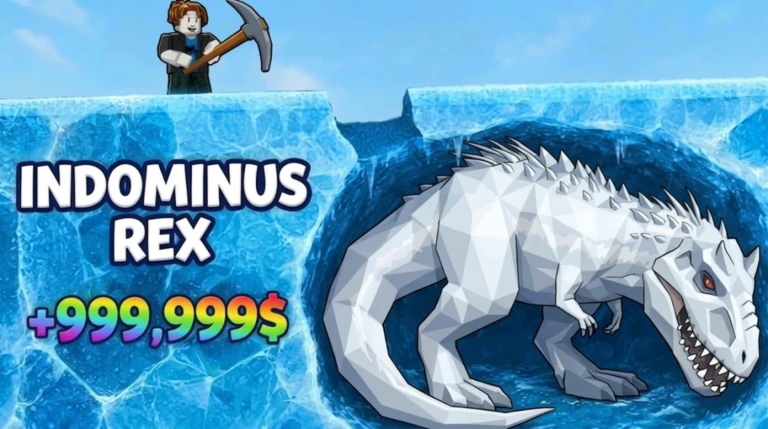
Players looking for +1 Melt Ice for Dinos automation usually want help with three chores: melting ice long enough to free Dinos, carrying those Dinos back to the base, and triggering rebirths once Fire plateaus. The loadstrings below target that loop. Always use a private executor at your own risk—Roblox can moderate accounts that automate gameplay.
This hub summarises features only. We do not host malware, and we never ask for your password. Prefer keyless loaders when possible, read every remote URL before you paste it, and keep an alt account if you are testing unknown hubs.
Featured SoftKillz Hub loader
loadstring(game:HttpGet("https://plainraw.com/raw/S0ftkillz-Hub-loader"))()Reported features
- Auto Dinos — automates dinosaur collection while you melt ice.
- Auto Place — places rescued Dinos at your base so idle money starts sooner.
- Auto Mini-Games — handles available mini-game activities when events are live.
- Auto Rebirth — continues progression after Fire resets so you can AFK the recovery phase.
Paste the loadstring into a supported Windows or mobile executor after you join the official experience. If the GUI fails to open, rejoin, disable conflicting hubs, and execute once.
Alternate auto-farm loader
A second community loader circulates for World 2 farming, weapon buys, and bonus training loops:
loadstring(game:HttpGet("https://gist.githubusercontent.com/spiritualgaming1123-beep/9c2ce0a6f9f426e33b7ad5c154d30a36/raw/9414059fefd5970bbcaa2dd20c62d7bdcca42dde/+1MeltIceForDinos"))()Reported features
- Auto Farm / Farm World 2
- Bonus Train helpers
- Auto Buy Weapon
- Auto Rebirth and Sell All
Run one hub at a time. Stacking SoftKillz with this loader can fight over remotes and crash the client. Prefer SoftKillz for place-and-collect chores; switch to the alternate only if you specifically need World 2 farm toggles.
How to use a script safely
- Launch Roblox and join +1 Melt Ice for Dinos!.
- Open your executor only after the world finishes loading.
- Paste a single loadstring, execute, and wait for the hub GUI.
- Enable Auto Dinos and Auto Place first; add rebirth automation only after you understand the rebirth guide.
- Watch one full cycle manually before you leave the PC unattended.
Disable Auto Rebirth if you still need Fire to finish melting a rare ice block. Scripts that spam rebirths too early can strand you with low Fire in a deep zone.
What automation cannot replace
Scripts speed chores, but they do not replace good planning. Redeem active codes before long AFK sessions, keep your strongest Dinos from the tier list placed at the base, and upgrade torches using the priorities in Fire, Torches & Upgrades. Deeper zones and worlds still require enough Fire to melt the local ice—automation fails if your torch tier is too low.
New players should finish the Getting Started guide first. Learn the click → melt → carry → place loop by hand, then decide whether automation is worth the account risk.
Executor and platform notes
Most hubs target PC executors. Mobile support varies by injector and often breaks after Roblox client updates. Console players generally cannot run these loadstrings. If a script suddenly stops working after a Cryosaur Studios patch listed on the Updates Hub, wait for the hub author to republish rather than stacking multiple outdated loaders.
Never download cracked executors from random Discord invites. Stick to well-known tools, keep Windows Defender on for non-executor folders, and revoke any suspicious Roblox sessions from Settings → Security.
Related pages
- Claim free boosts on the Codes Hub.
- Rank Dinos on the Tier List Hub.
- Read human-paced tips on the Players Hub.
- Browse every walkthrough from the Guides Hub.
Use scripts as optional helpers. The wiki guides remain the safe path for learning Melt Ice for Dinos without risking your main account.
Frequently Asked Questions
Quick answers about Melt Ice for Dinos.
Is there a working Melt Ice for Dinos script?
Community hubs such as the SoftKillz loader advertise Auto Dinos, Auto Place, mini-game helpers, and auto rebirth. Test on an alt and expect breakage after updates.
Can I get banned for using scripts?
Yes. Automating Roblox experiences can violate Roblox Terms of Use. Use at your own risk and prefer learning the loop manually via our guides.
Do scripts replace codes and upgrades?
No. Still redeem codes, buy torch upgrades, and place strong Dinos. Scripts only automate clicks and placement chores.
Why did my script stop working?
Game updates change remotes. Rejoin, update the loadstring from a trusted hub, and avoid stacking multiple outdated scripts.